


我家云armbian安装qbittorrent的方法
590 字
3 分钟
我家云armbian安装qbittorrent的方法


相比较于transmission,我觉得qbittorrent更好用
安装前需要添加一个软件源才能安装最新版本的qbittorrent。
添加软件源
1、在debian官网寻找软件源
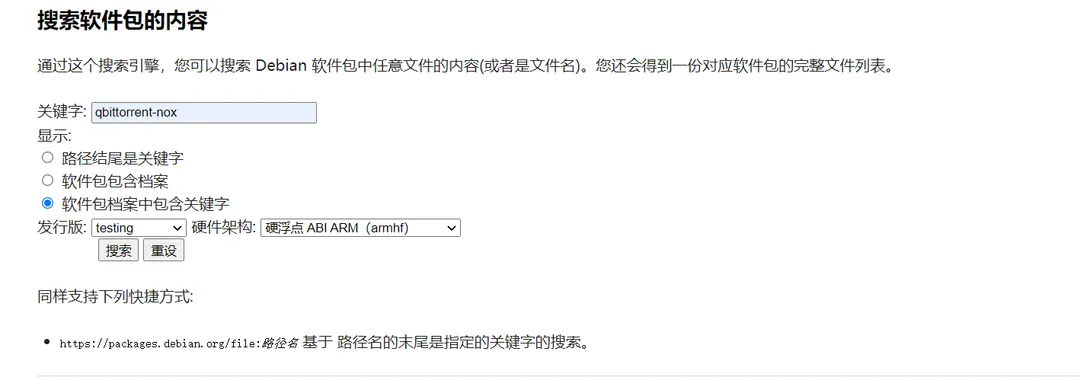
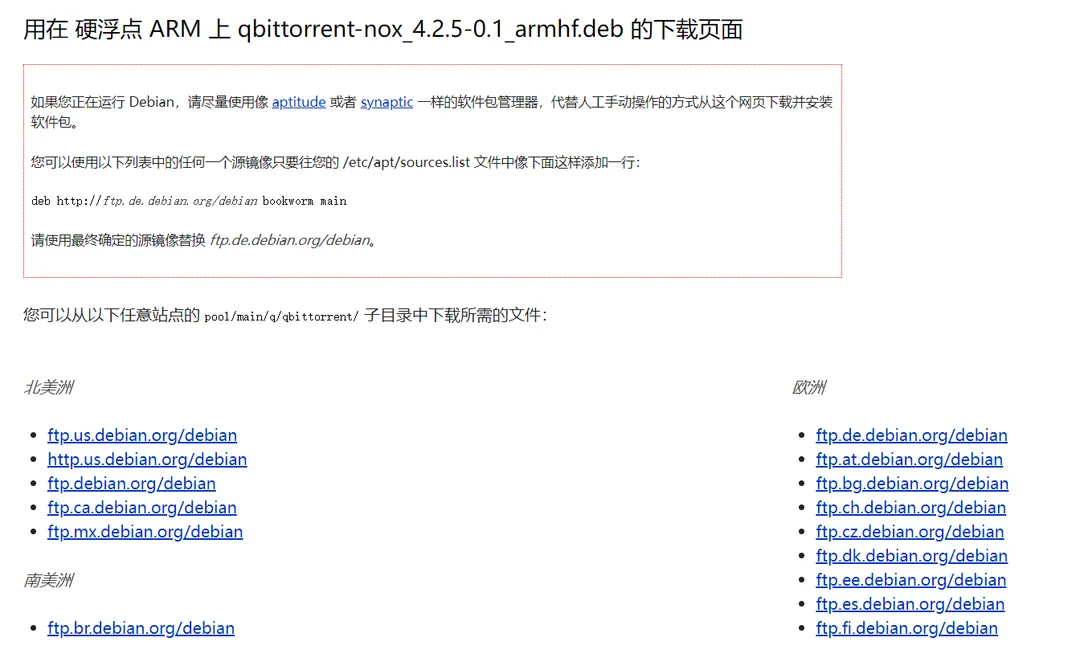
/etc/apt/sources.list 文件 将你复制好的软件源粘贴到文件最后一行里,保存即可。 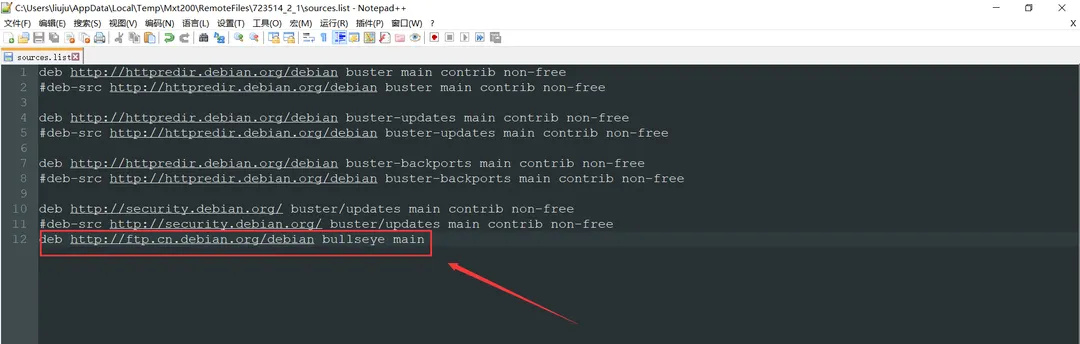
更新软件源
在终端里执行 apt update 更新软件源,更新完成后输入 apt show qbittorrent-nox 查看qbittorrent的版本,如果版本是4.2.5,就可以安装了。(注意,随着时间的推移,版本会变化,截至本文发布,最新版本为4.2.5-0.1)
root@Chainedbox:~# apt show qbittorrent-noxPackage: qbittorrent-noxVersion: 4.2.5-0.1Priority: optionalSection: netSource: qbittorrentMaintainer: Cristian Greco <cristian@debian.org>Installed-Size: 6,845 kBDepends: libc6 (>= 2.29), libgcc-s1 (>= 3.0), libqt5core5a (>= 5.10.0), libqt5network5 (>= 5.9.0~beta), libqt5xml5 (>= 5.2.0), libssl1.1 (>= 1.1.0), libstdc++6 (>= 5.2), libtorrent-rasterbar10 (>= 1.2.5), zlib1g (>= 1:1.2.0)Suggests: qbittorrent-dbgHomepage: http://www.qbittorrent.org/Tag: devel::lang:c++, devel::library, implemented-in::c++, interface::graphical, interface::shell, interface::web, interface::x11, network::client, protocol::bittorrent, role::devel-lib, role::program, uitoolkit::qt, use::downloading, x11::applicationDownload-Size: 5,130 kBAPT-Sources: http://ftp.cn.debian.org/debian bullseye/main arm64 PackagesDescription: bittorrent client based on libtorrent-rasterbar (without X support)
N: There is 1 additional record. Please use the '-a' switch to see itroot@Chainedbox:~#安装qbittorrent
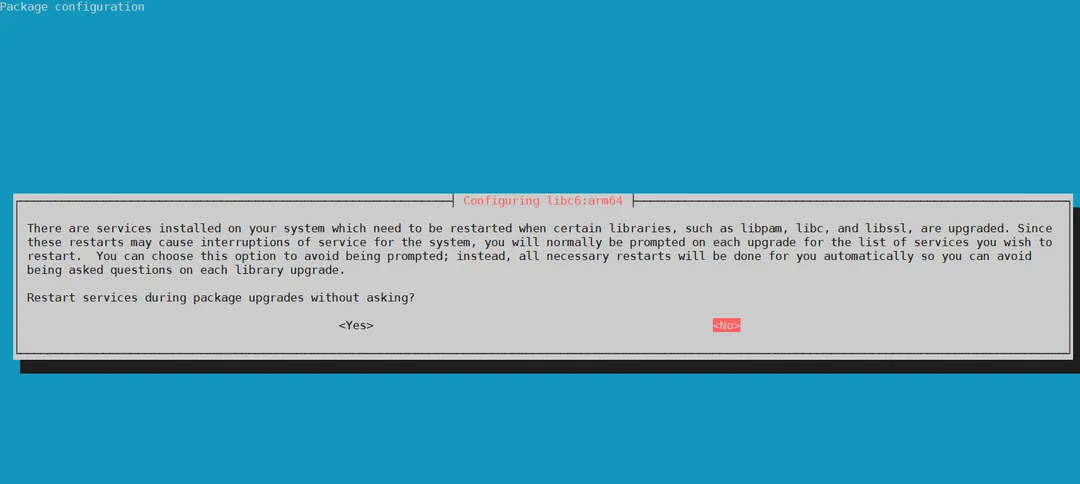
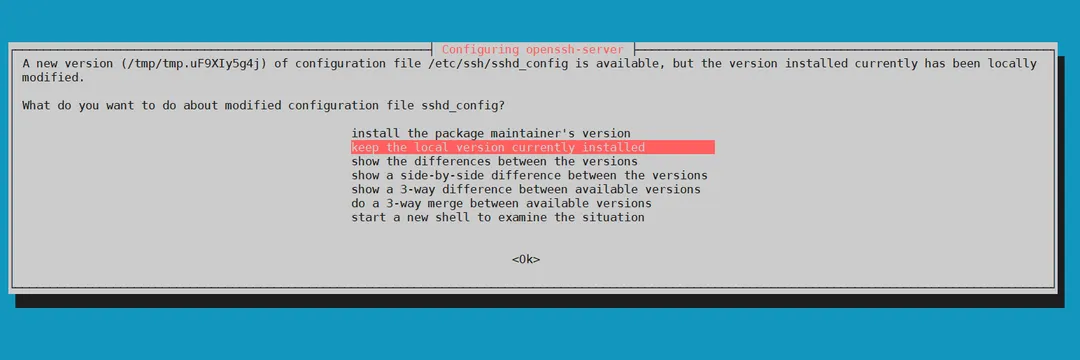
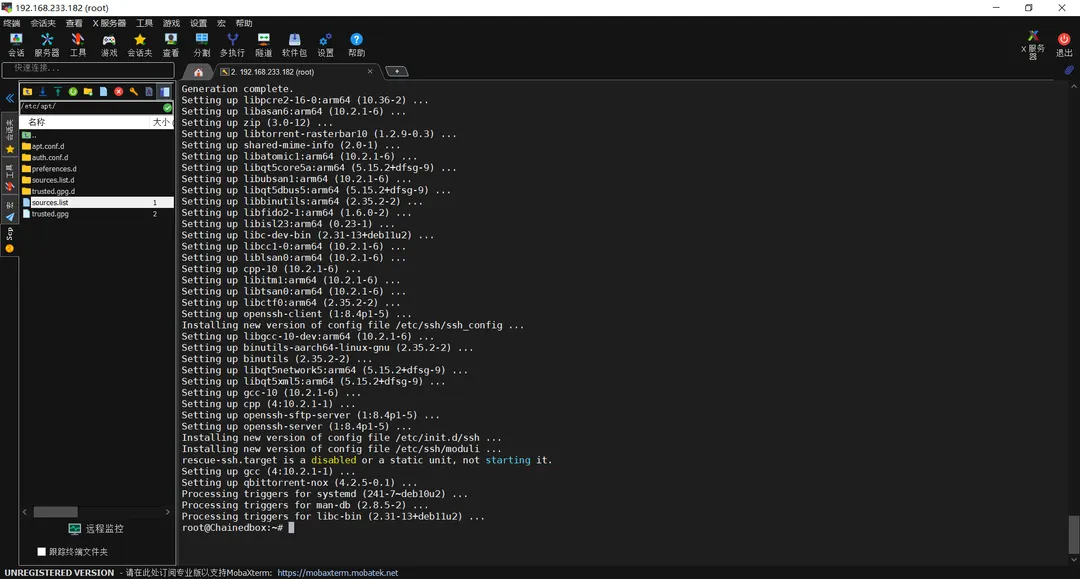
执行命令 apt install qbittorrent-nox ,安装时间视你的网络状况而定,建议全程科学网络操作。
配置qbittorrent开机自启
新建一个文件 /etc/systemd/system/qbittorrent.service ,写入下面的内容后,保存。
[Unit]Description=qbittorrent torrent server
[Service]User=rootExecStart=/usr/bin/qbittorrent-noxRestart=on-abort
[Install]WantedBy=multi-user.target重启系统单元
systemctl daemon-reload设置开机自启
systemctl enable qbittorrent启动qbittorrent
systemctl start qbittorrent关闭qbittorrent
systemctl stop qbittorrent重启qbittorrent
systemctl restart qbittorrent文章分享
如果这篇文章对你有帮助,欢迎分享给更多人!
我家云armbian安装qbittorrent的方法
https://kanochan.net/posts/chainedbox-qbittorrent-install/相关文章智能推荐
1
我家云——从零开始到一台完整的下载服务器
运维系统记录我家云从刷机到Armbian基础配置的完整搭建过程。
2
armdian系统GPT错误及修改系统时间的方法
运维解决Armbian系统中的密钥报错,并补充时区与时间同步设置。
3
玩客云刷amrbian并安装transmission作BT下载及开启samba实现文件下载与共享
运维详述玩客云刷入Armbian后安装Transmission与配置Samba共享的全过程。
4
夏日?黄昏?吹响上低音号!
摄影一篇关于久美子的摄影策划,致我们最爱的部长。
5
真-牛马的噩梦
日常连坠机噩梦里都还在给领导发消息请假。
随机文章随机推荐